
Logged with a photo
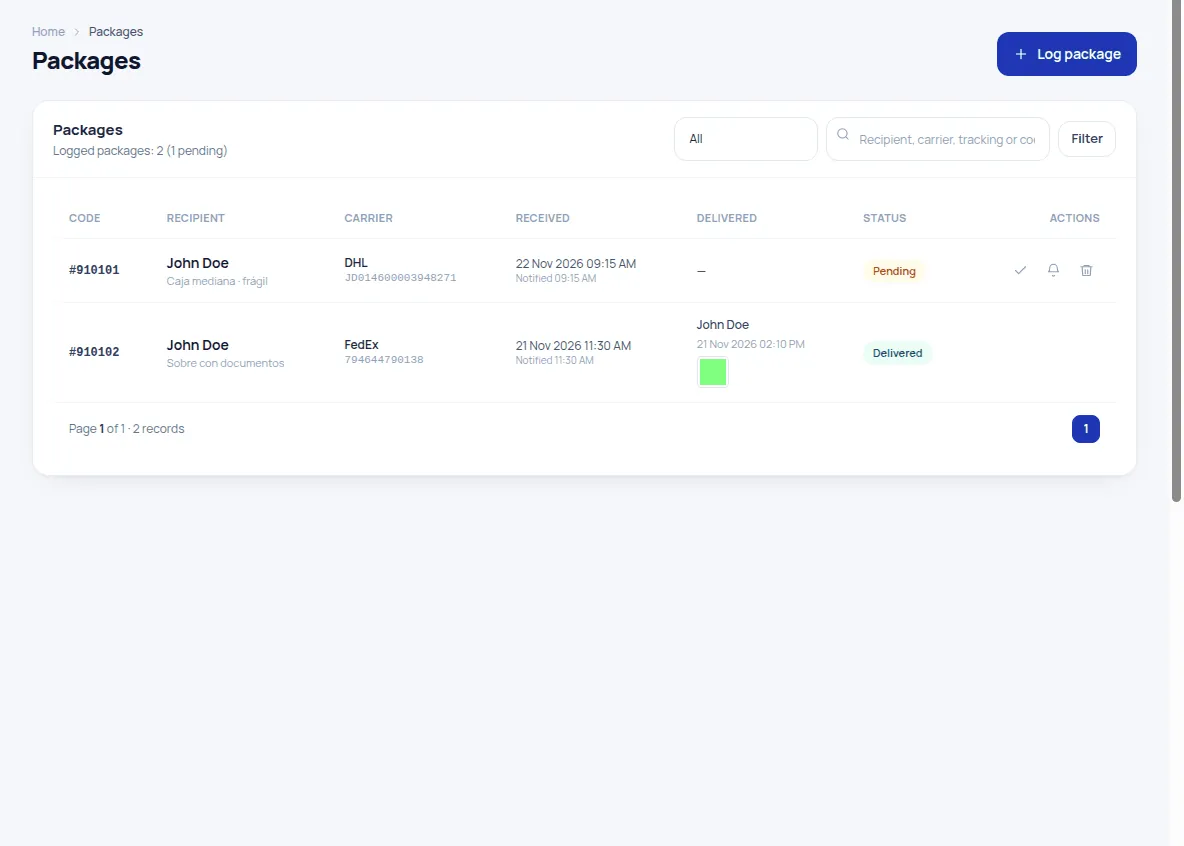
Each package is saved with its photo, carrier, tracking number, recipient and time received. See which ones are pending and which have been picked up.
Gateguard One · Package management
Every package that arrives is logged with a photo, the recipient is alerted instantly and pickup is confirmed with a signature. No more forgotten boxes at reception.
With a package log. In Gateguard One, reception or the courier logs each package with a photo and recipient, and the system generates a pickup code. The recipient is alerted on their phone right away, and when they pick it up they sign on screen, leaving a record of who received what and when.
Reception logs it with a photo, carrier and recipient, or the courier logs it at the kiosk.
The system creates a pickup code for that package.
By push notification, WhatsApp or email, and sees it in their app until they pick it up.
When they pick it up, they sign on screen and the delivery is recorded in the history.
Real screenshots, with data from a demo company.
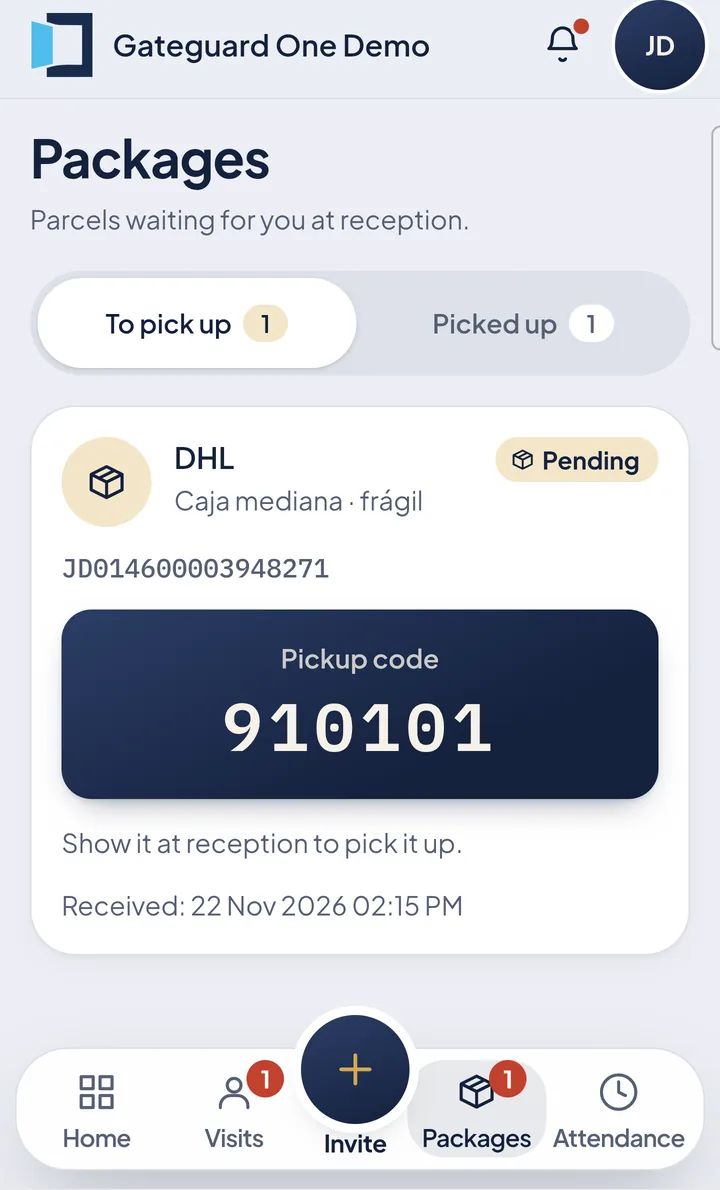
Each package is saved with its photo, carrier, tracking number, recipient and time received. See which ones are pending and which have been picked up.
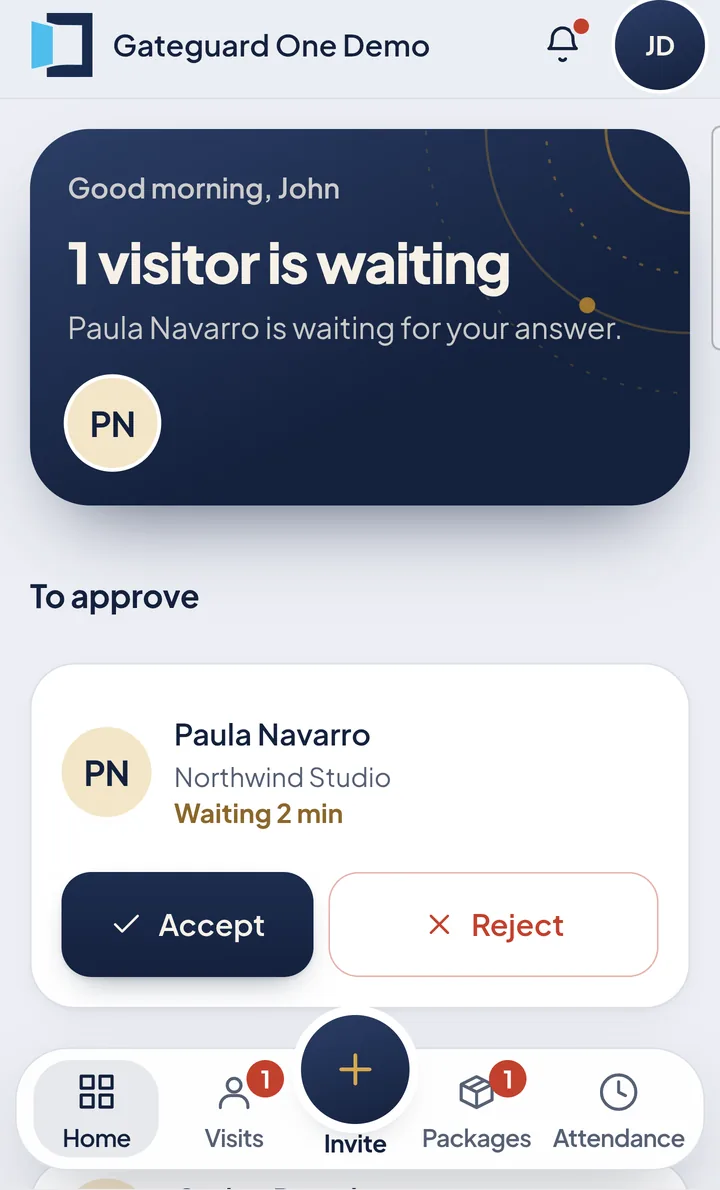
The employee is alerted by push notification, WhatsApp or email, and sees the package on their app's home screen until they pick it up.
On the reception tablet, the courier logs the package (carrier, recipient and photo) and the employee is alerted instantly with their pickup code.
At pickup, the employee signs on screen, leaving a record of who received what and when, so any question can be resolved.
Currently receiving boxes, envelopes and food deliveries without knowing whom to alert.
With many employees and daily courier deliveries.
With several buildings and recipients who are hard to track down.
Needing proof of every delivery when questions come up.
Package management comes with the Packages module, included in every plan starting with Gateguard One Starter. WhatsApp alerts use the SMS and WhatsApp module.
See what each plan includesThey get a push notification on their phone (and a WhatsApp message or email), and the package appears on their app's home screen until they pick it up.
Yes. At pickup, the employee signs on screen and the system records who received it and when.
Yes. The reception kiosk has a courier option: the courier enters the carrier, the recipient and a photo.
No. It's part of the same Gateguard One admin panel and employee app.
Yes. The Packages module comes starting with Gateguard One Starter.
Gateguard One · For companies
We'll show you package management with your real use cases and set up the configuration you need with you.