
Attendance points with a geofence
Set up the places where your staff can clock in and out and draw each one's area on the map. Outside that area, the clock-in is not accepted, and an employee can work at several sites.
Gateguard One · Time and attendance
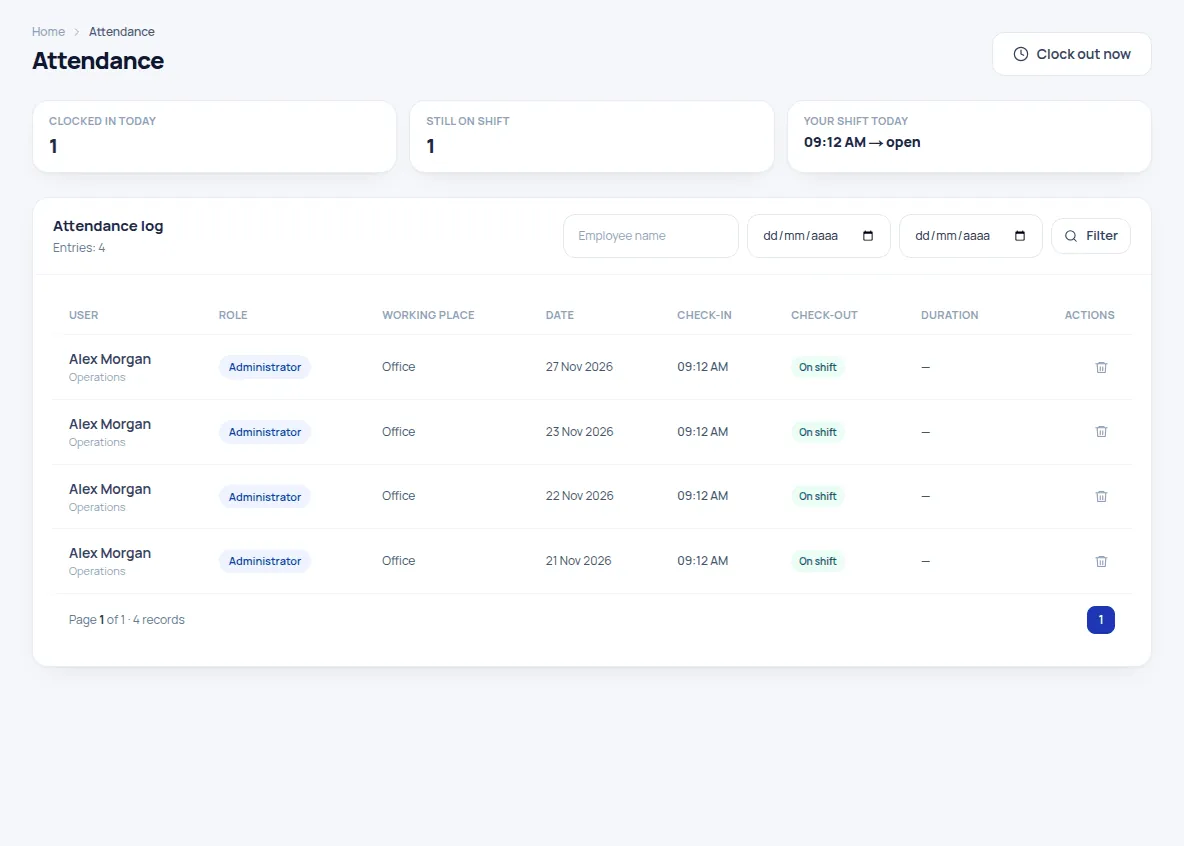
Your staff clock in and out on their phone, only inside the work area and confirming with Face ID or fingerprint. You see the hours, open shifts and missing clock-outs.
In Gateguard One, you set up attendance points and draw each one's area on a map. Employees clock in and out from the app by choosing the point where they are; outside the area, the clock-in is not accepted. Every record is confirmed with Face ID or fingerprint and, at the points you choose, with a selfie too.
Reception, a plant entrance or a warehouse, with each one's area drawn on the map.
Just once. From then on, every record is confirmed with Face ID or their fingerprint.
From the app, choosing the point where they are, with a live timer for their shift.
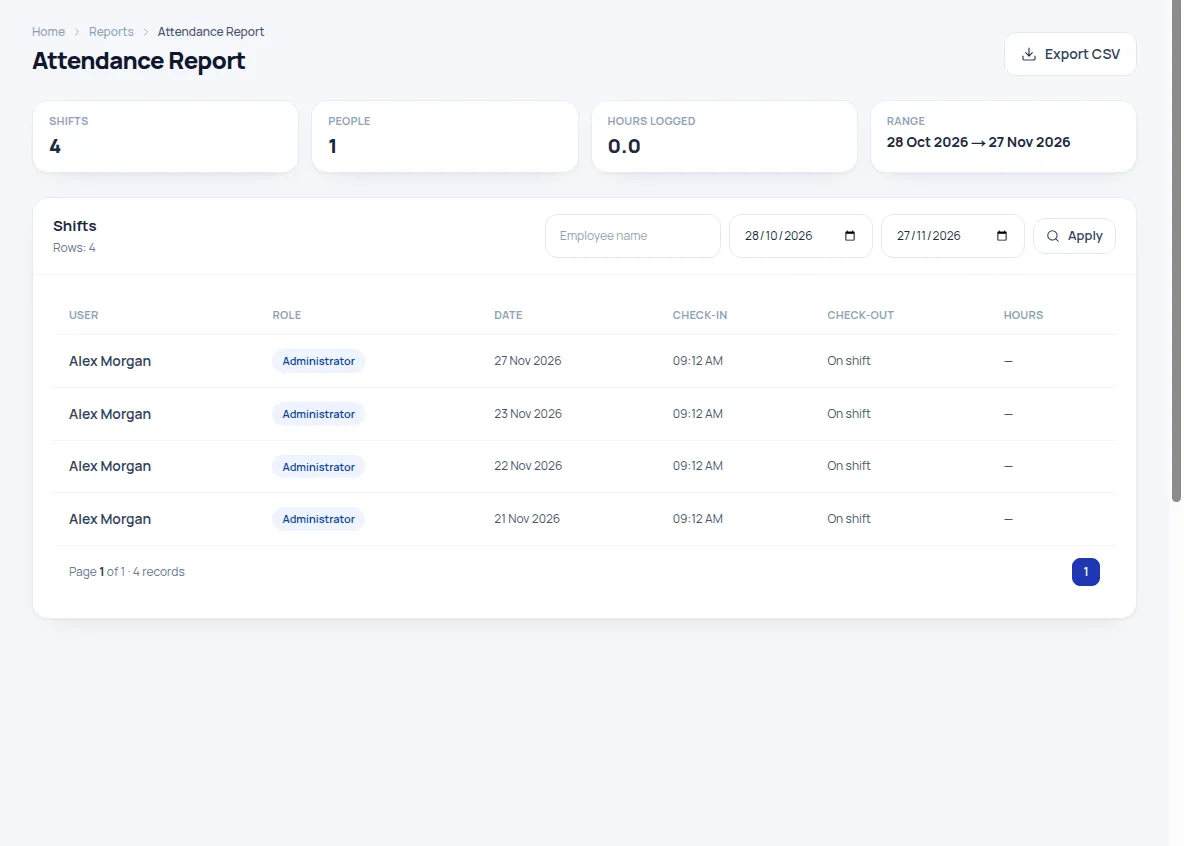
Hours worked, open shifts and missing clock-outs by employee and by site.
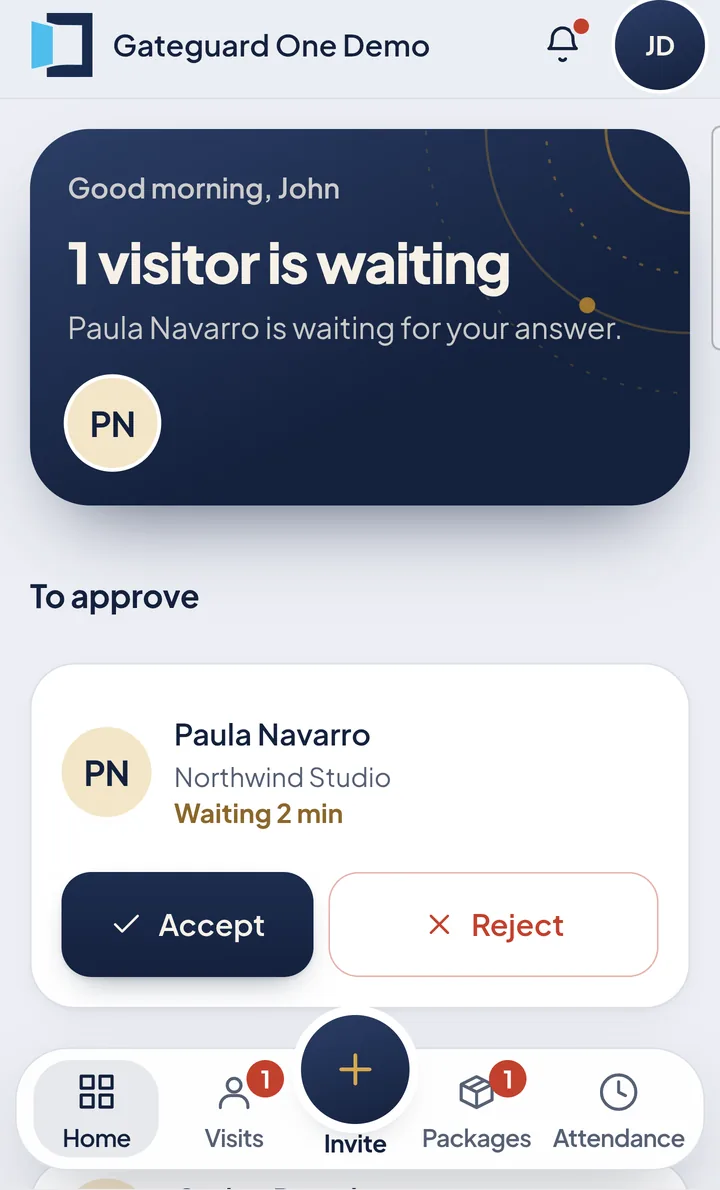
Real screenshots, with data from a demo company.
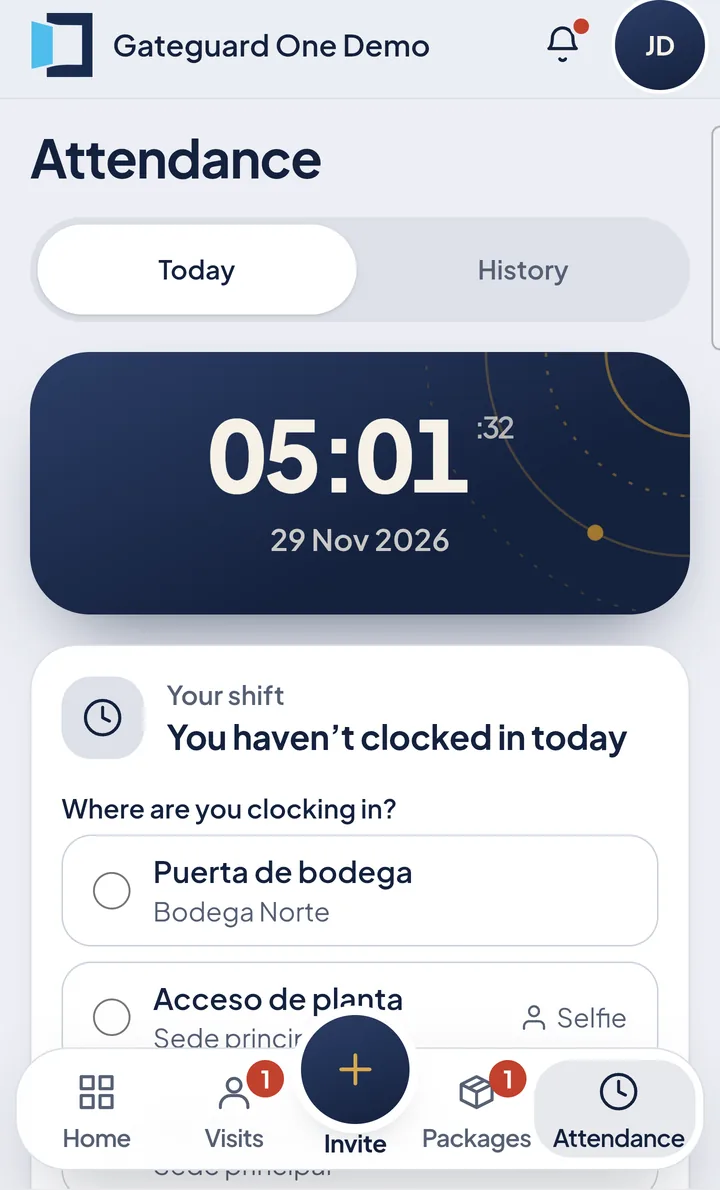
Set up the places where your staff can clock in and out and draw each one's area on the map. Outside that area, the clock-in is not accepted, and an employee can work at several sites.
Each employee links their phone once and confirms every record with Face ID or their fingerprint. That way no one can clock in with someone else's account, and switching phones requires an administrator's approval.
At the points you choose, clocking in requires a live photo that is kept as proof and deleted automatically after the period you set.
Hours worked, open shifts and missing clock-outs by employee and by site. If an employee forgot to clock out, they request the correction from the app and administration approves or rejects it. Works with night shifts.
Needing hours worked and missing clock-outs without copying lists by hand.
With several entrances and shifts, including night shifts.
Where the same employee may clock in at different locations.
Wanting to know which staff are on shift at any moment, along with visitors.
Attendance comes with the Staff attendance module, included starting with Gateguard One Pro. Exporting reports to CSV comes with Advanced reports.
See what each plan includesEach employee links their phone once and confirms every record with Face ID or their fingerprint. Switching phones requires an administrator's approval. At the points you choose, a selfie is also required.
Only at the points you set up: outside the area drawn on the map, the clock-in is not accepted. An employee can have several points and several sites.
The employee requests the correction from the app and administration approves or rejects it. Until then, the shift shows as a missing clock-out and adds no hours.
Yes. An open shift can be closed after midnight.
No. They are deleted automatically after the period your company sets.
No. Gateguard One records clock-ins, clock-outs and hours and exports the reports; payroll is still calculated in your system.
Gateguard One · For companies
We'll show you time and attendance with your real use cases and set up the configuration you need with you.