Gateguard One · Visitor management

A visitor management system for your reception

Check in every visitor in seconds, alert their host on their phone, and keep a record of who came in, when, and who they came to see.

What is a visitor management system?

A visitor management system replaces the reception logbook with a digital record. With Gateguard One, visitors check in on a tablet or their own phone, the host gets an instant alert and approves with one tap, and every check-in and check-out is saved with the time, host and, if your company requires it, a photo and ID.

How it works

  1. An employee sends an invitation

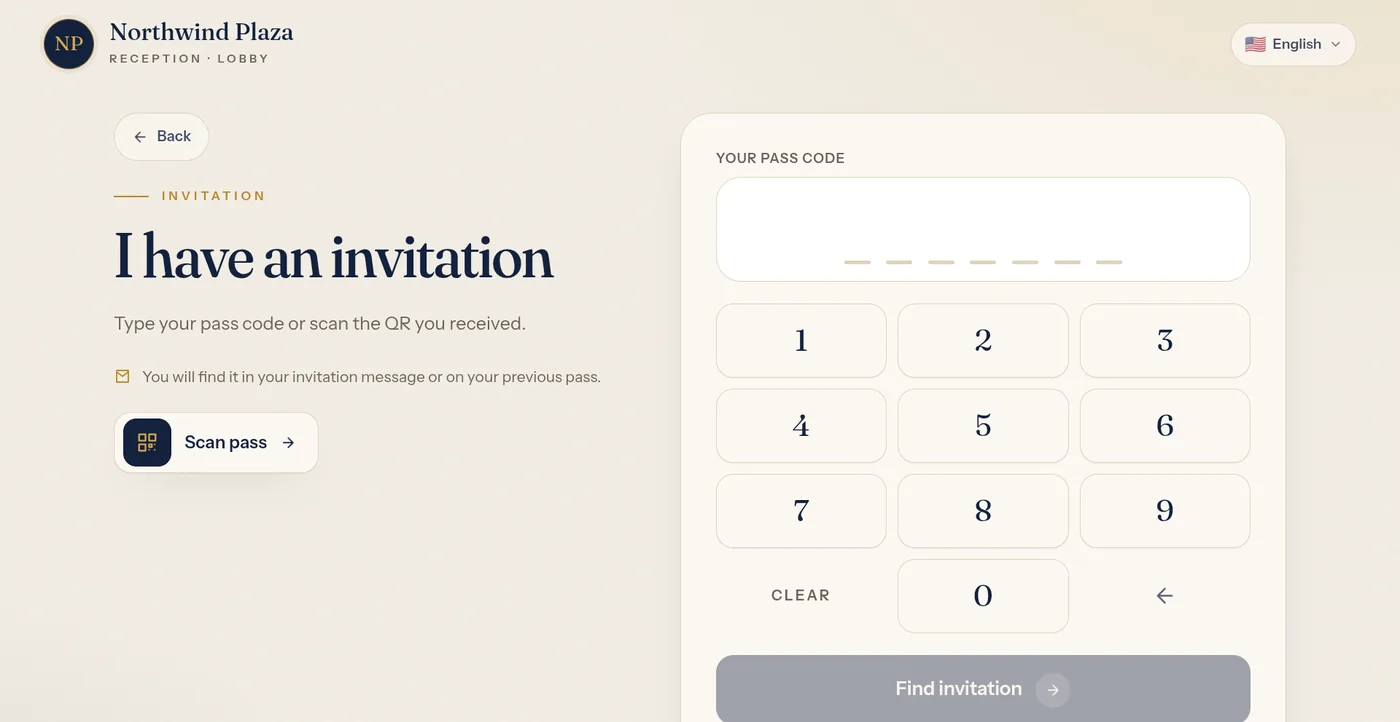
    From their phone or the admin panel, with a name, a contact method and the date. The guest receives a pass with a 7-digit code and a QR code.

  2. The visitor arrives

    They scan their QR code at the kiosk or check themselves in on the tablet. They can also fill out the form on their own phone by scanning the QR code shown on the tablet.

  3. The host approves

    They get an alert on their phone and accept with one tap. If they take too long, the system sends a reminder so no one is left waiting.

  4. Check-in and check-out recorded

    The visitor gets a badge, and their check-out is recorded with the badge QR code or from reception. Everything is kept in the history.

Try the kiosk

See in seconds what your visitor does on arrival, without filling out a form.

Demo · fictitious company “Northwind”

Northwind

Welcome to Northwind

What brings you here today?

A simplified recreation of your visitor's steps on the reception tablet. Tap the options or use the buttons to move forward.

What it looks like on the tablet

Real screenshots, with data from a demo company.

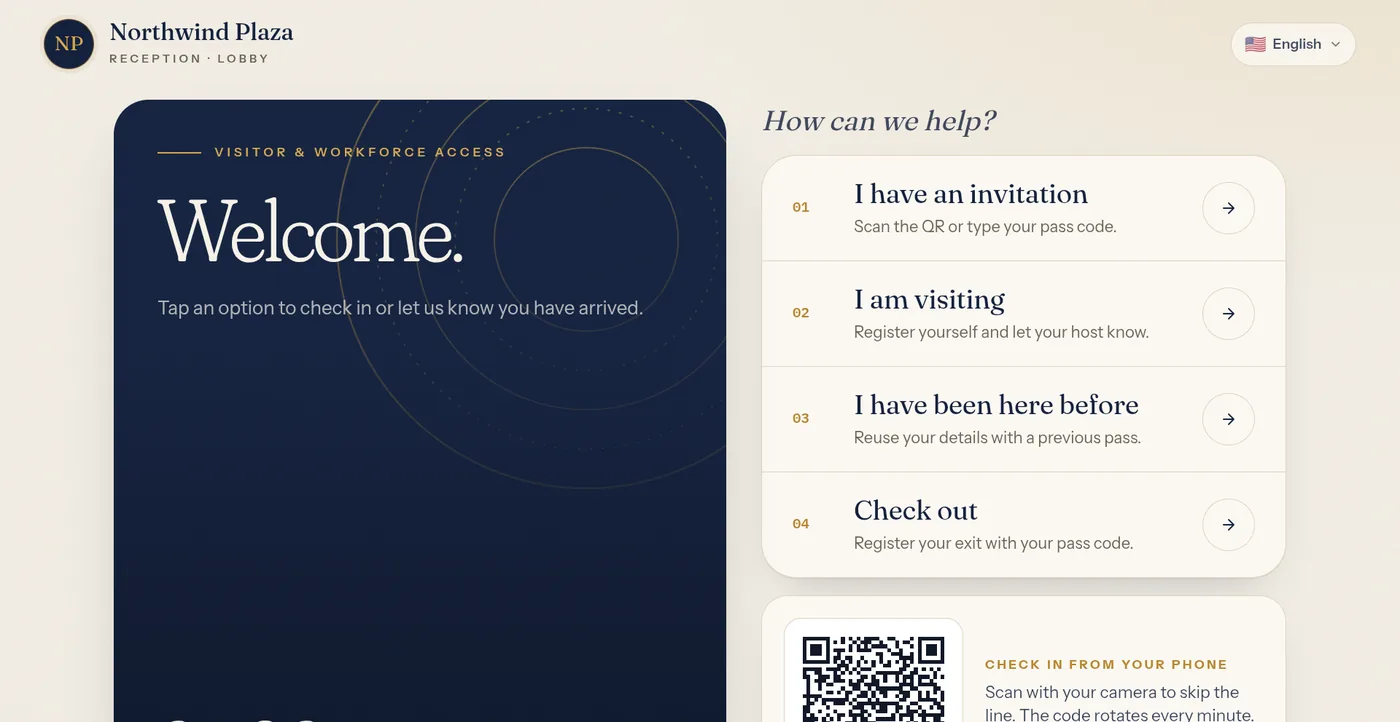
Home screen
Home screen
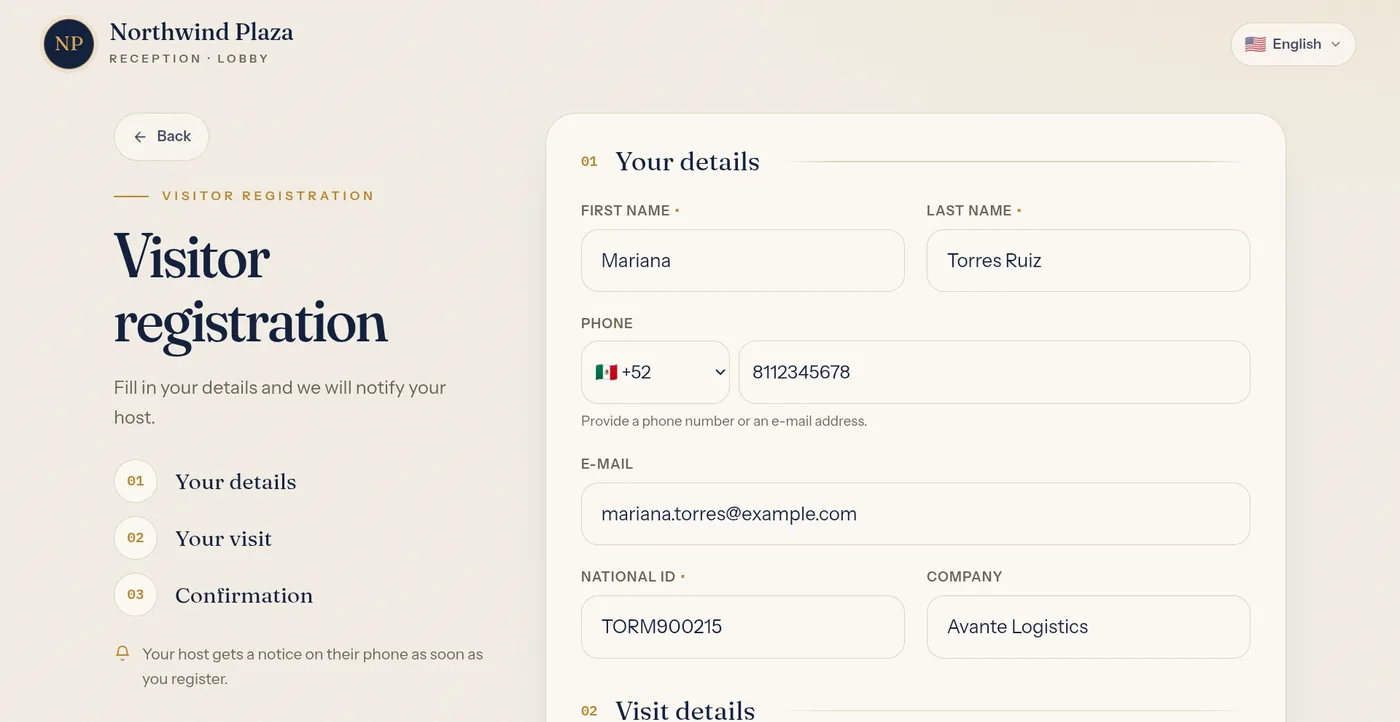
Walk-in registration
Arriving with an invitation
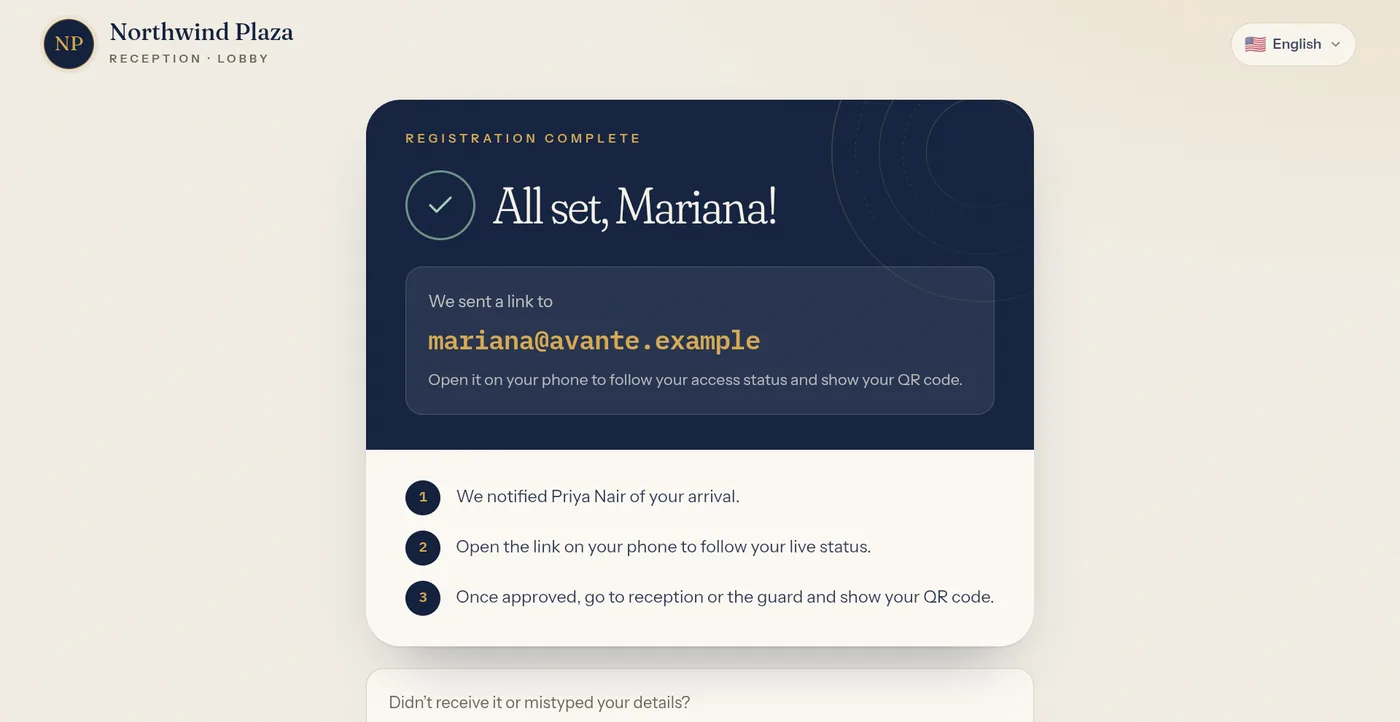
Registration complete

Everything your reception needs

Reception kiosk on a tablet

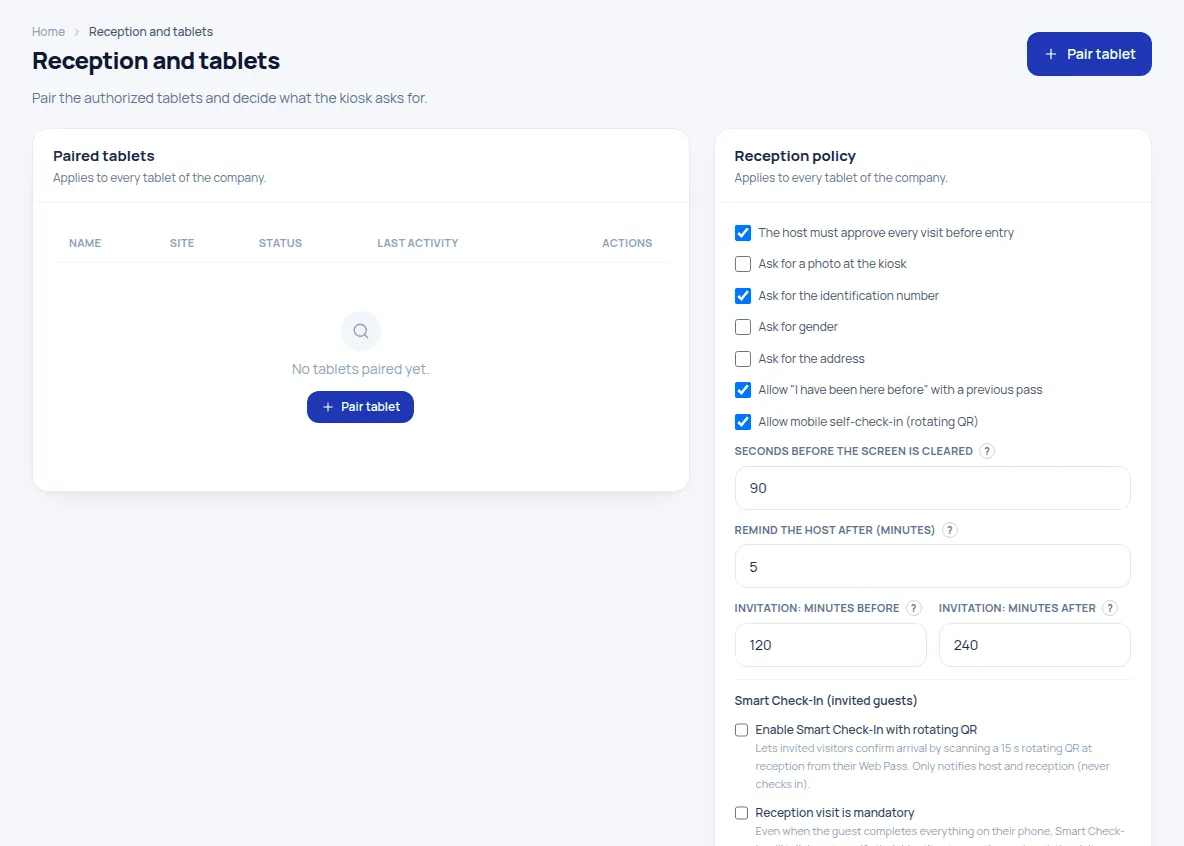
Each company gets its own self-service kiosk, linked to your account with a one-time code. Large screens, an on-screen keypad and buttons designed to be used standing up. You decide which details are required: photo, ID, gender, address or vehicle plates.

Reception kiosk settings in the Gateguard One admin panel: which details it asks for and how the host approves

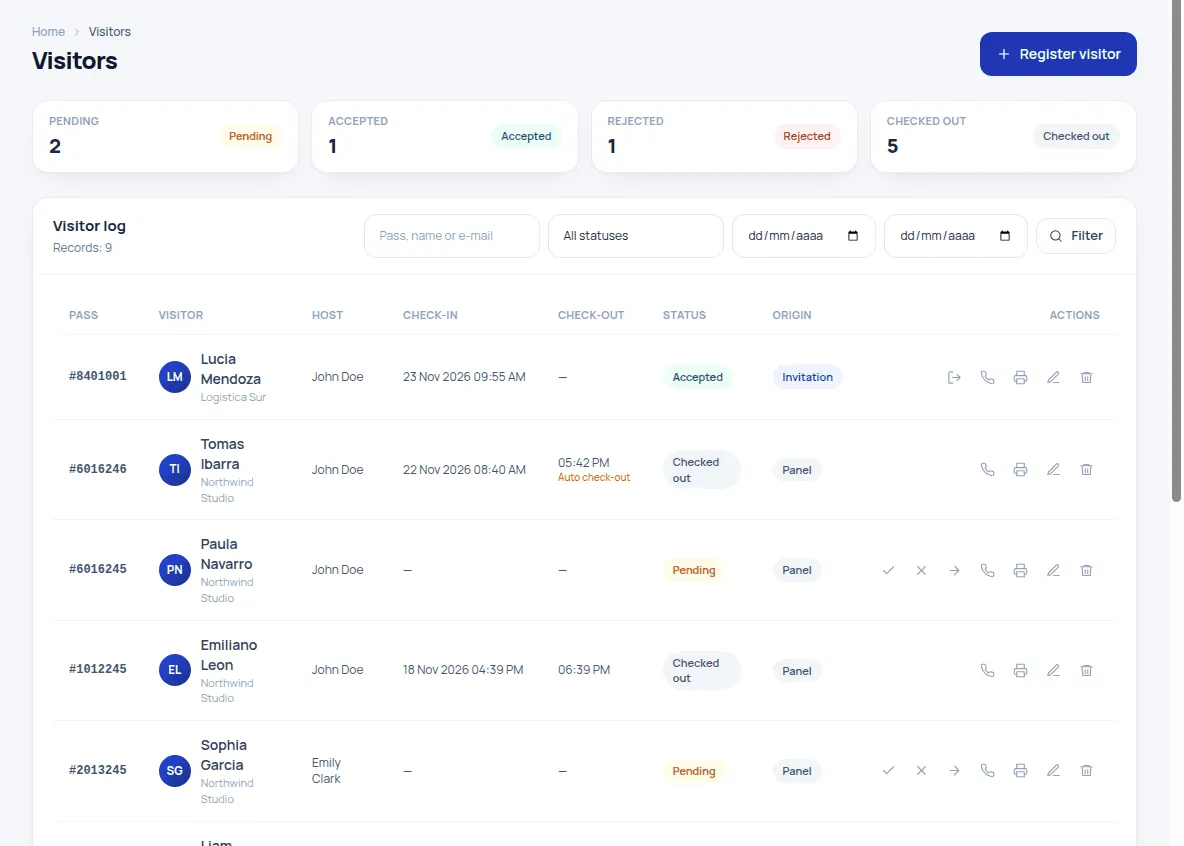
Real-time visitor log

Reception sees on one screen who is pending, accepted, rejected or already checked out, with their host, check-in time and where the record came from (invitation, kiosk or admin panel). From there, staff can check visitors out, reprint badges or call the host.

Gateguard One visitor log with pending, accepted and checked-out statuses

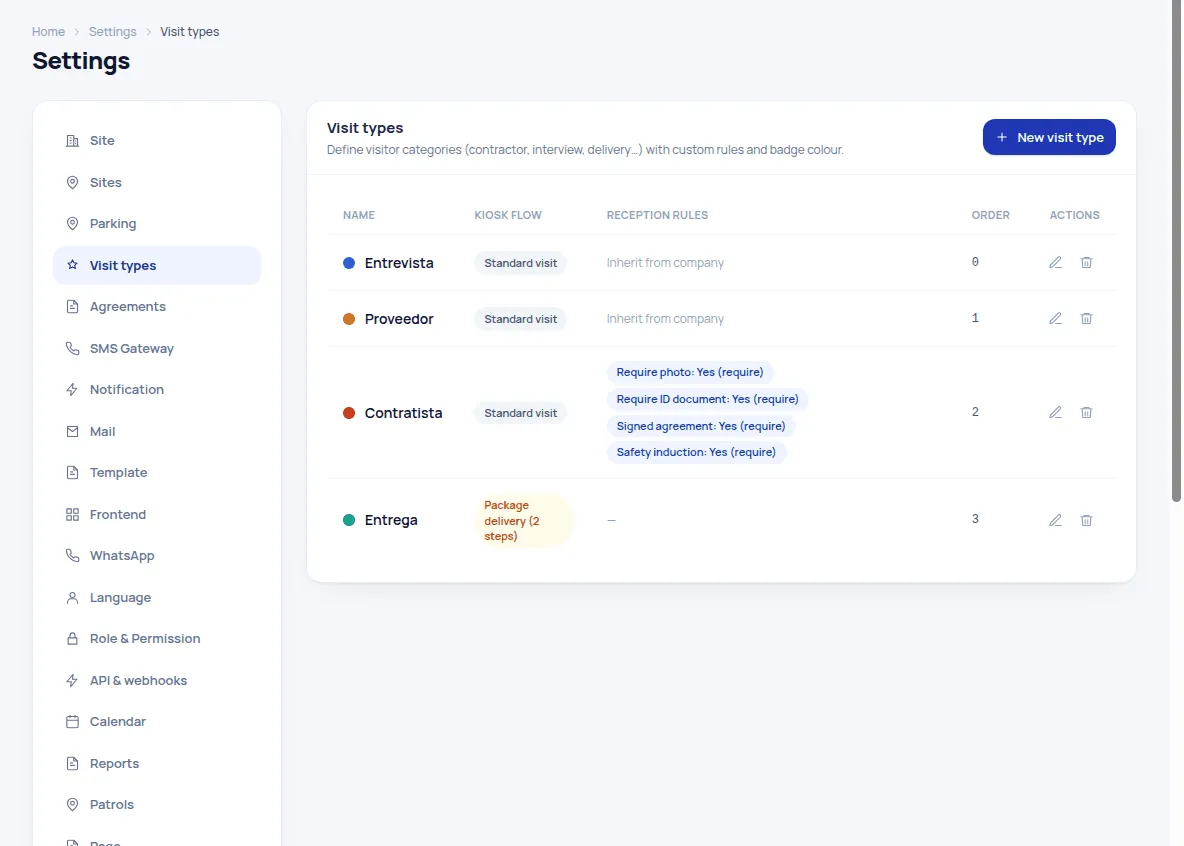
Visit types with their own rules

Set up categories such as “Supplier”, “Interview” or “Courier”, each with its own color and rules: whether it requires a photo, ID, host approval, signed agreements or an induction. Trusted visits can be approved automatically.

Configurable visit types in Gateguard One with reception rules per category

Printed badges and “I've been here before”

Print a badge with a photo, name, host, date, a color stripe by visit type and a QR code for check-out, on Brother, Zebra or thermal label printers. Frequent visitors don't have to type everything again: with their previous code and the last digits of their phone number, the form fills itself in.

Who is it for?

Reception

Serves visitors faster, with no lines or paper, and always knows who is waiting and who has left.

Hosts

Find out about their visitor on their phone and approve with one tap, with no calls from reception.

Security

Has the full history of every visit, with time and host, to review any incident.

Administration

Sets the rules by visit type and by site, and checks the analytics dashboard.

Which plan includes it?

Part of the core
Yes, in every plan
Included from
Gateguard One Starter

Visitor management is part of the Core: it comes with every plan. INE scanning, signed agreements and the Wallet pass are add-on modules.

See what each plan includes

Frequently asked questions

What information is a visitor asked for at check-in?

The basics: name, company, who they are visiting and why. Your company decides whether to also ask for a photo, ID, gender, address or vehicle plates, and which of them are required. The rules can change by visit type.

Does the visitor have to install an app?

No. They receive their pass as a web page with a QR code and a 7-digit code, and when they arrive they check in on the tablet or on their own phone by scanning the QR code shown on the kiosk.

What equipment do I need?

A tablet for the reception kiosk and, if you want badges, a compatible label printer (Brother, Zebra or thermal). The admin panel works in any browser.

What happens if the host doesn't respond?

After a few minutes the system sends a reminder to their phone. A delegate can also approve their visitors while they are on vacation or in meetings.

Can I use it at several sites?

Yes. Each site has its own tablets, time zone, closing time and reports, and you can view everything together or site by site.

Does it work without internet?

No. The kiosk, the admin panel and the apps need an internet connection to record visits and alert the host right away.

Gateguard One · For companies

Let's see it with your own access points

We'll show you visitor management with your real use cases and set up the configuration you need with you.

Message us on WhatsApp