
Guard app
Guards scan visitor passes from their phone to record check-ins and check-outs, see who is on site and respond to emergencies. They go straight to their app, with no access to visit records or the admin panel.
Gateguard One · Guards and patrols
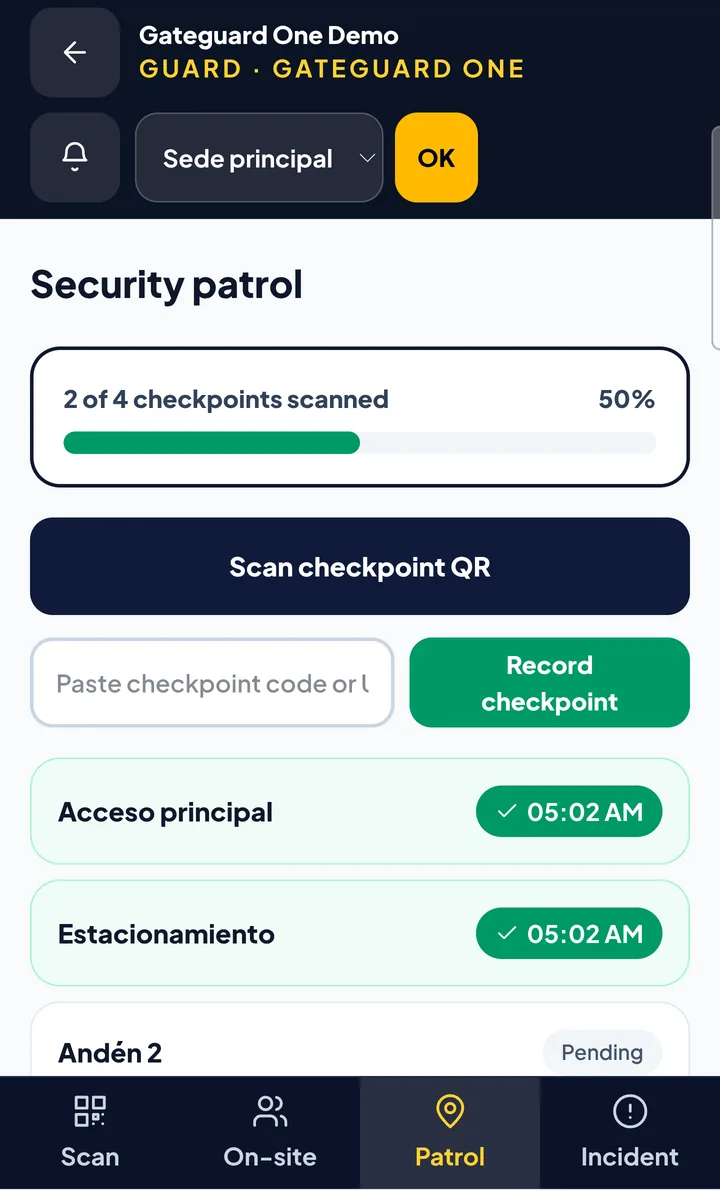
Your guards scan passes, run their patrols with QR codes and report incidents with photos from their phone. You see which patrols were completed and which checkpoints were missed.
With QR codes at checkpoints. In Gateguard One, you place a QR code at each checkpoint; during their patrol, the guard scans them from their phone, and the admin panel shows which patrols were completed and which checkpoints were missed. Incidents are reported with a category, severity, description and photo, and administration follows up.
Print each site's checkpoint QR codes from the admin panel and post them where the guard must pass.
Scanning each QR code from the guard app, on high-contrast screens.
An incident with a category, severity, description and photo. Administration gets the alert.
The admin panel shows which patrols were completed, which checkpoints were missed, and the follow-up on each incident.
Real screenshots, with data from a demo company.
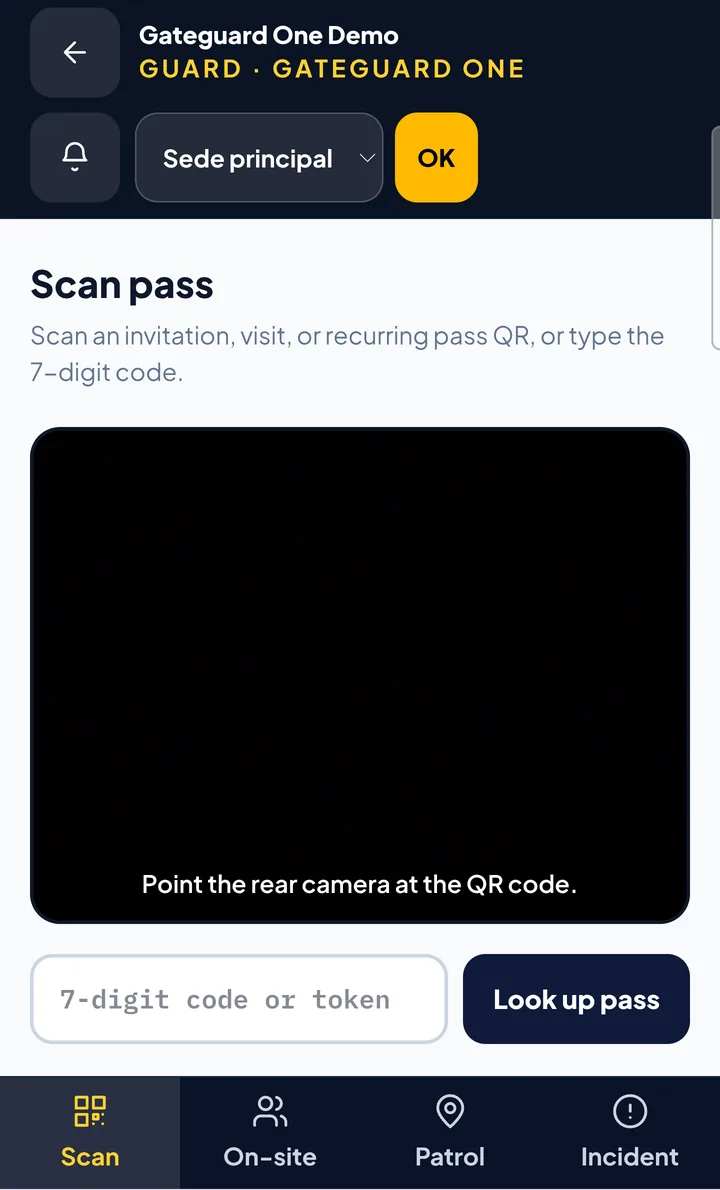
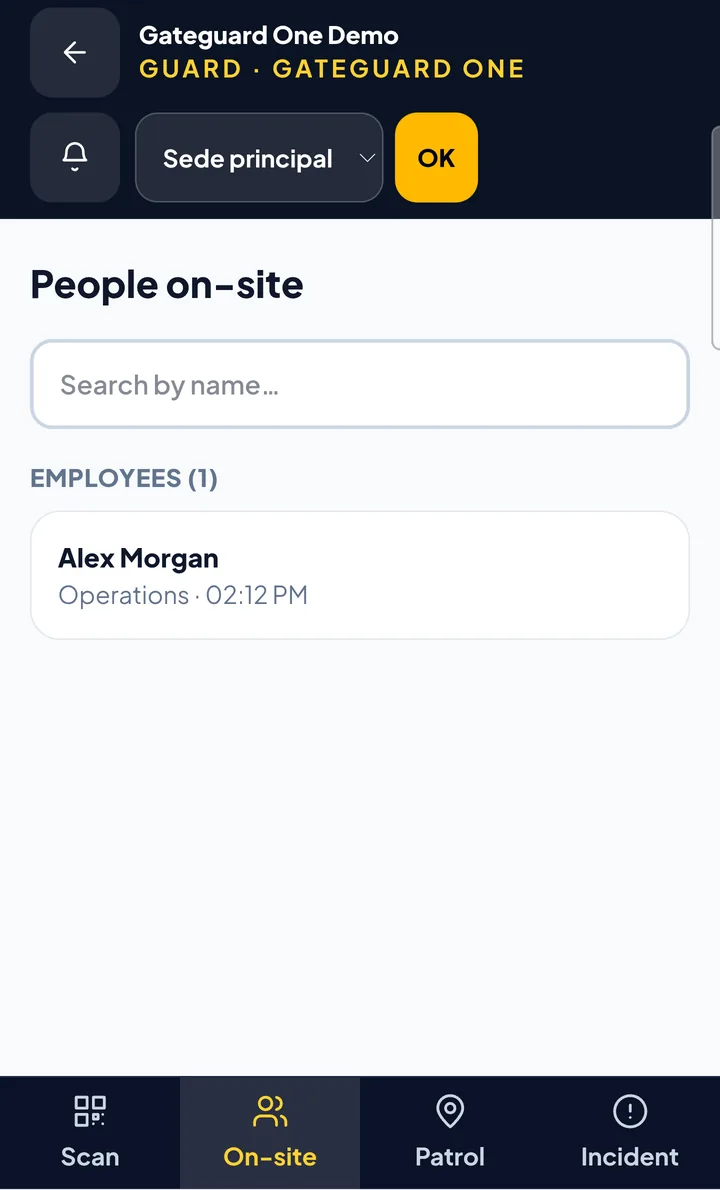
Guards scan visitor passes from their phone to record check-ins and check-outs, see who is on site and respond to emergencies. They go straight to their app, with no access to visit records or the admin panel.
Place QR codes at your checkpoints. The guard scans them during their patrol, and the admin panel shows which patrols were completed and which checkpoints were missed.
Guards report incidents with a category, severity, description and photo. Administration gets the alert, follows up and marks them as resolved. Filter by status, severity and category, and export incidents.
During an evacuation, the guard sees who is on site and helps with the live roll call from their phone.
Needing proof that patrols were completed in full.
Running a client's gatehouse and reporting incidents to them.
With large perimeters and many checkpoints.
Following up on every incident until it's resolved.
The guard app, QR patrols and incidents come with the Security and guards module, included starting with Gateguard One Pro.
See what each plan includesNo more than they need. The guard role goes straight to the guard app on their phone, with no access to the admin panel or visit management.
The admin panel shows which patrols were completed and which checkpoints were missed, with the time of each scan.
Category, severity, description and photo. Administration gets the alert, follows up and marks it as resolved.
No. Checkpoints are QR codes you print from the admin panel, and guards scan them with their phone.
Yes. Each site has its own checkpoints and incidents, and you can view everything together or site by site.
Gateguard One · For companies
We'll show you guards and patrols with your real use cases and set up the configuration you need with you.