
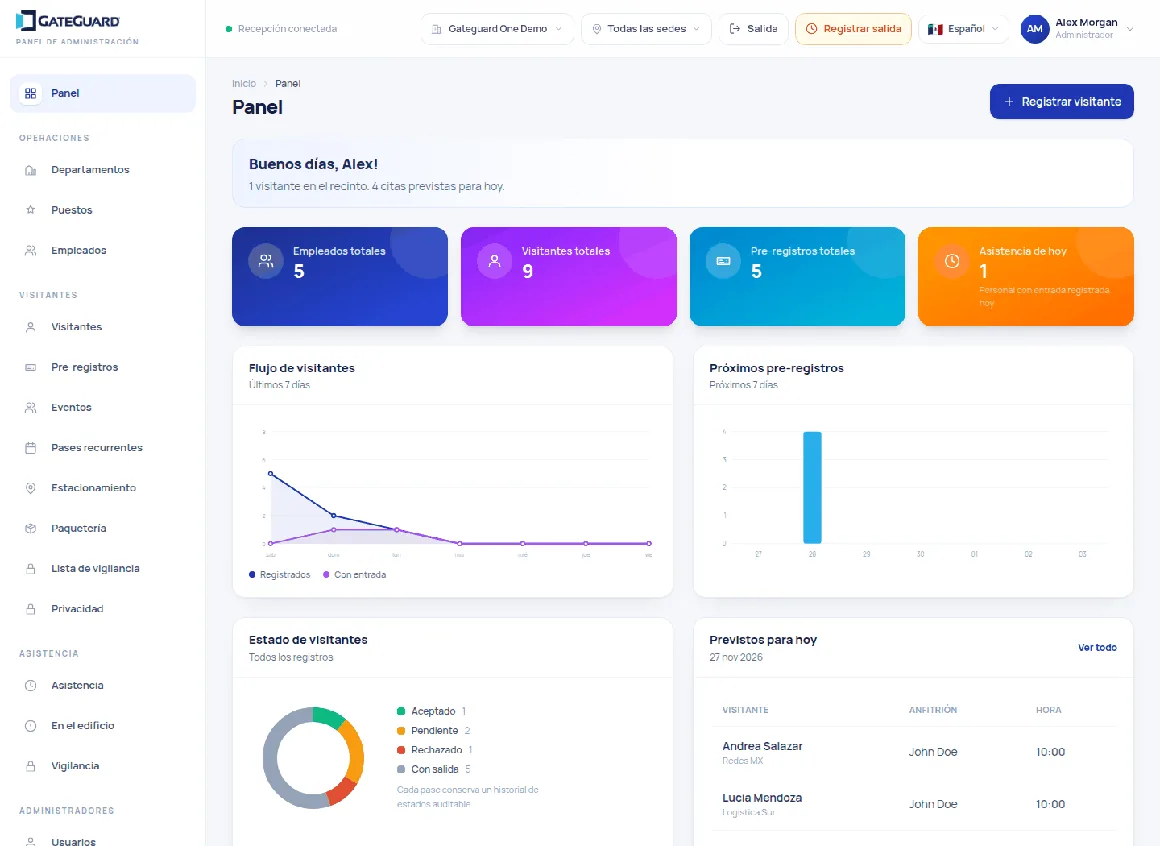
Admin panel
Visits, invitations, employees, reports and settings, for administrators and reception.
Gateguard One · For companies
Gateguard One registers every visitor, contractor, package and employee entering your facilities, notifies the host on their phone and keeps evidence of everything.
Visitors · contractors · packages · staff · guards
Gateguard One is the platform to control who enters, who is inside and who leaves a company's facilities: visitors, contractors, packages and staff, across one or many sites. It replaces the reception logbook with a digital register that notifies the host on their phone and documents every access.
The host learns about their visitor when they are already waiting at reception, or never.
Handwriting is not evidence: no photo, no exact time, no signed agreement.
During an evacuation nobody can say for sure how many people are in the building and who they are.
From the invitation to the exit, everything is recorded.
From their phone or the panel, with name, contact details and date. Three steps.
By email, SMS or WhatsApp, with a 7-digit code and a QR. They can complete their details before arriving.
A tablet at the entrance: scan the QR or self-register. No lines, no paper.
With one tap from the employee app, or by answering YES or NO on WhatsApp.
Visits, invitations, employees, reports and settings, for administrators and reception.
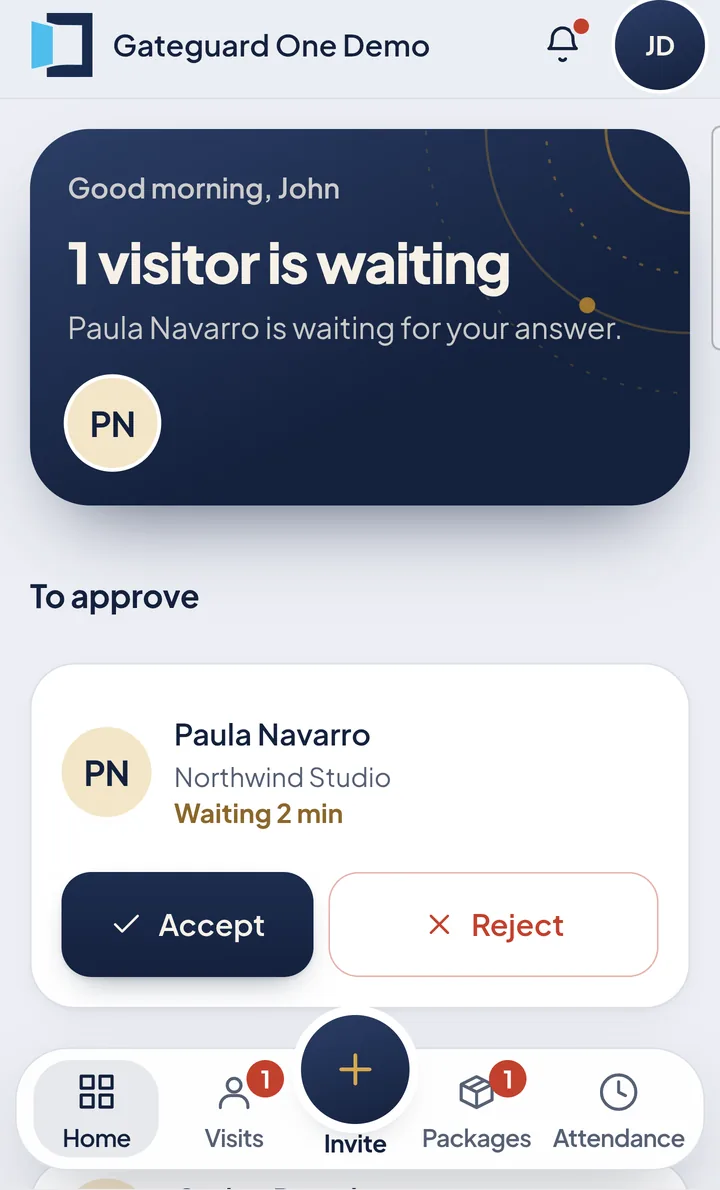
Installs from the browser, no app store: invite, approve visits, get package notices and clock in and out.
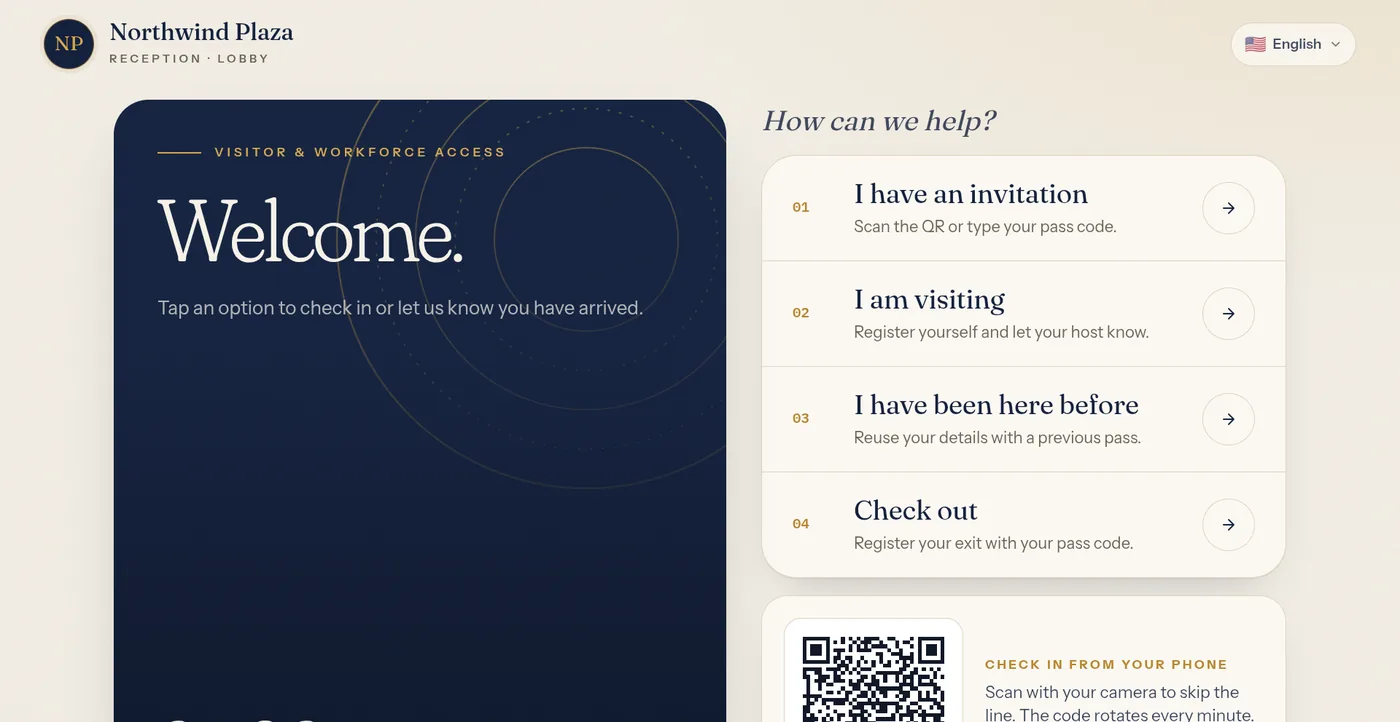
A tablet at the entrance where visitors self-register, branded with your company image.
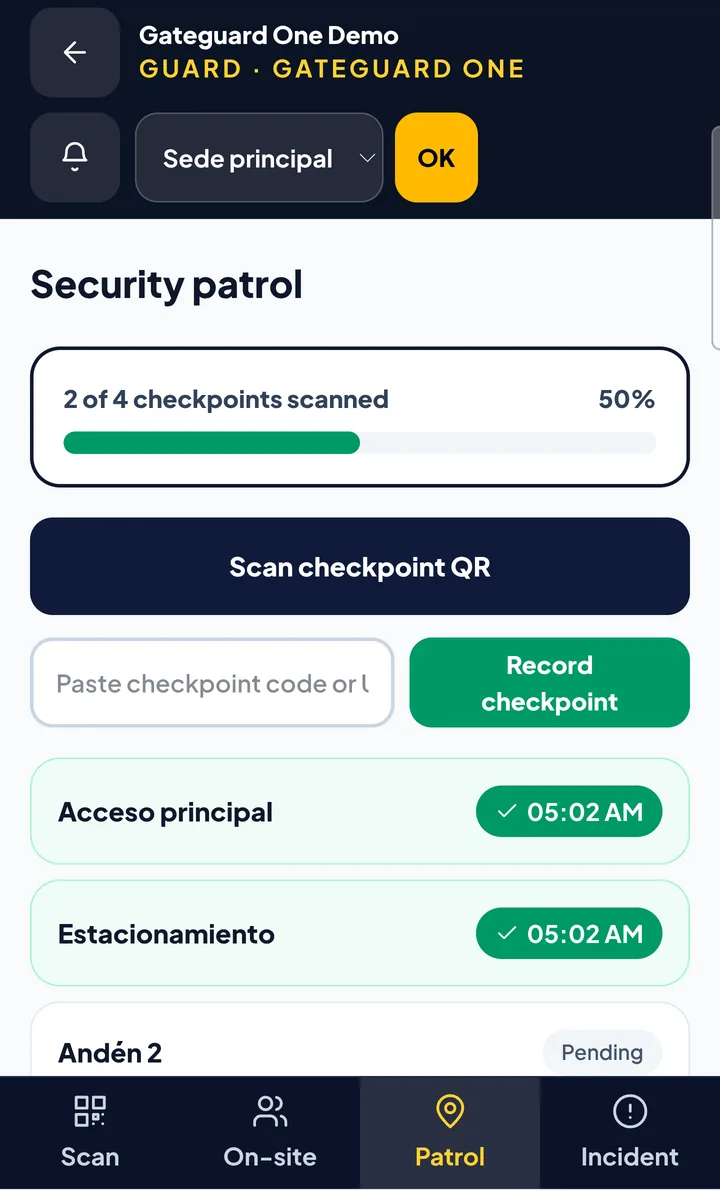
Pass scanning, QR patrols and incidents from the guard's phone.
One system, a view for everyone: from the visitor to the administrator.
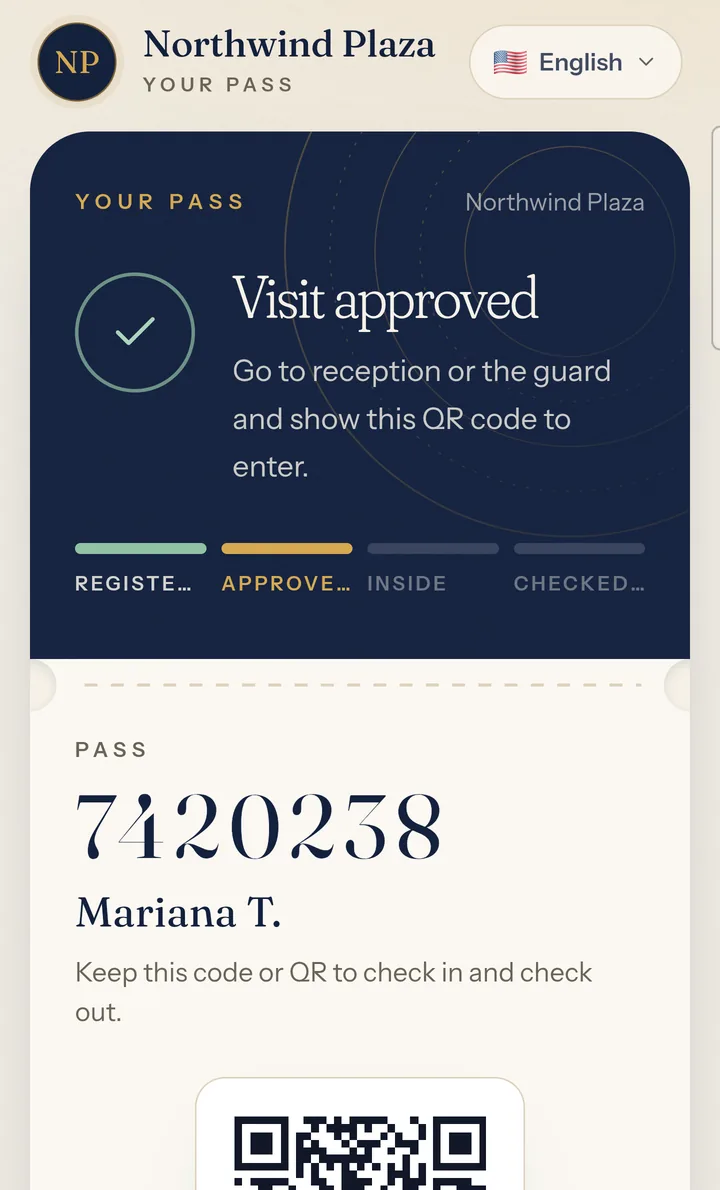
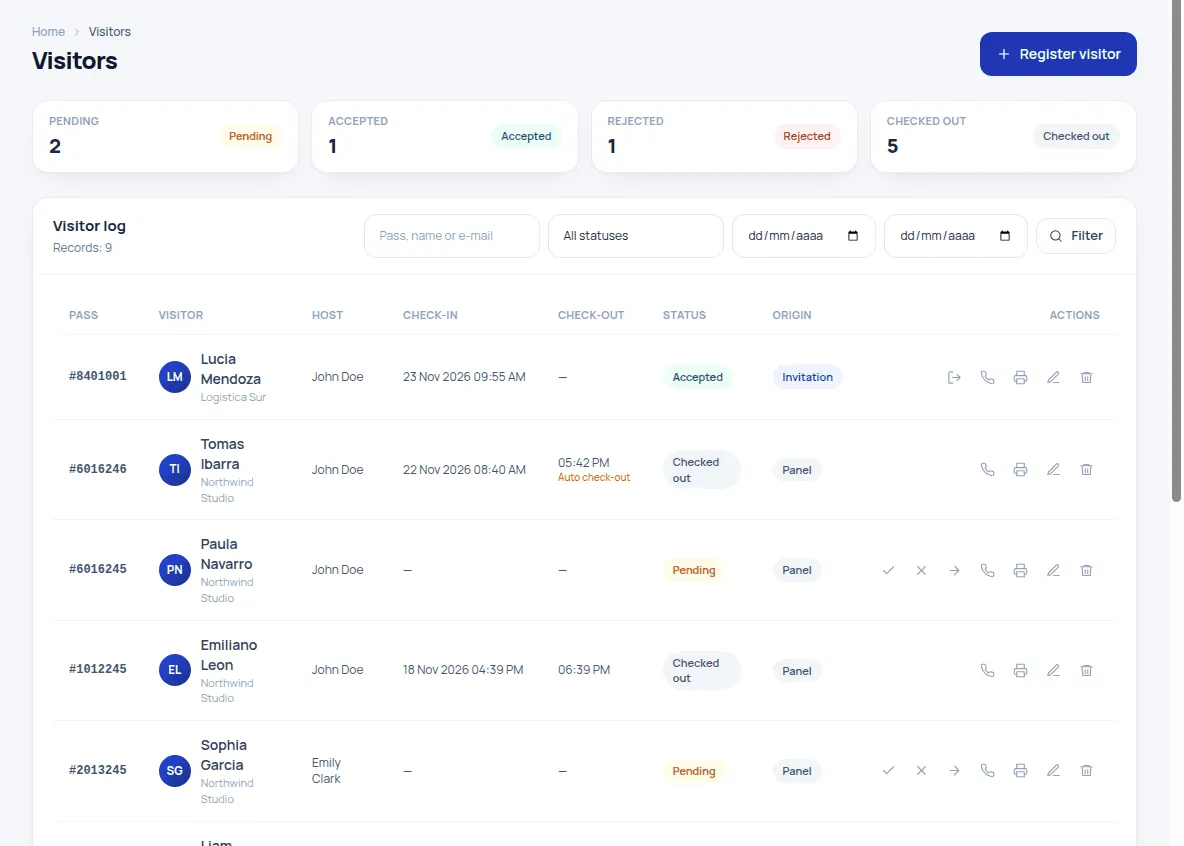
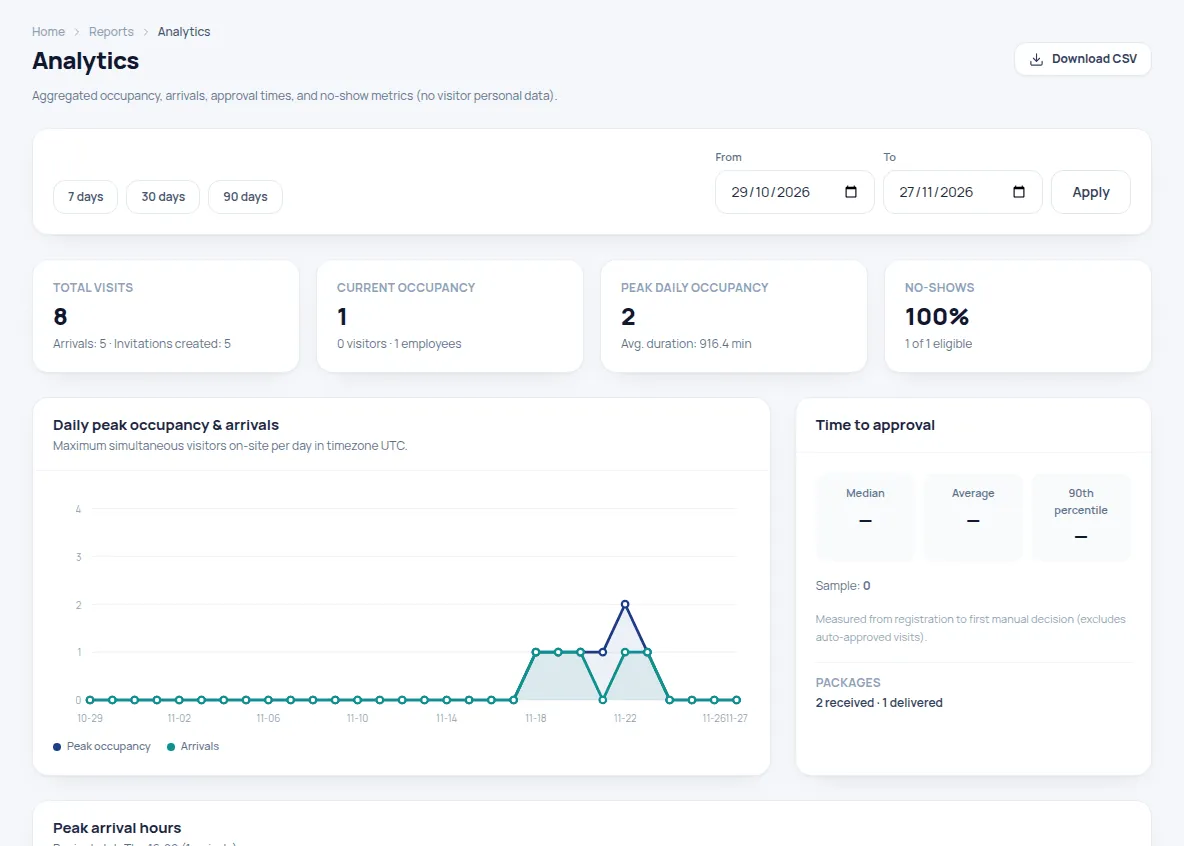
Pick what your reception is missing and we'll tell you which module and plan covers it.
Each solution solves a specific access problem.
| Paper logbook vs. Gateguard One | Logbook | Gateguard One |
|---|---|---|
| Host notification | Nobody notifies: the visitor waits or leaves | The host gets the notice and answers YES or NO on WhatsApp, or with one tap |
| Access evidence | Handwriting, no photo or exact time | Digital record with time and host, plus photo, ID and signed agreement if your company requires it |
| Who is still inside | Nobody knows: someone has to count signatures | Real-time view and live roll call during evacuations |
| Data privacy | Personal data visible to anyone at reception | Protected data, defined retention and ARCO rights built in |
| Reports | Manually copied into Excel | Analytics dashboard; CSV export with Advanced reports |
Access works differently in every industry. This is how we solve it.
All Gateguard One modules. Pick your industry to see the ones used most there.
Kiosk, invitations and web pass, employee app, who's inside, evacuation, auto check-out, badges, multi-site, ARCO and analytics.
See solution →Intake with photo, recipient notice and signed delivery.
See solution →Clock in/out from the phone with geofence, Face ID or fingerprint and selfie.
See solution →Guard app, QR patrols and incidents.
See solution →ID and passport scanning, watchlist and front-desk verification.
See solution →On-screen signed agreements, induction videos and a PDF of what was signed.
See solution →Events with guest import and recurring passes.
See solution →Smart Check-In and passes in Apple Wallet and Google Wallet.
See solution →Invitations, notices, visit approval and alerts via SMS and WhatsApp.
See solution →CSV exports and scheduled email reports.
Automatic invitations from Google Calendar and Microsoft 365.
See solution →API, webhooks and notices in Slack, Microsoft Teams and Telegram.
See solution →Sign-in with Google Workspace or Microsoft 365 and directory sync.
See solution →Your colors on the kiosk, pass, app and emails.
Parking spaces, booking with the invitation and gatehouse view.
Kiosk and passes on your own domain.
Define how long visitor data is kept; the system anonymizes it automatically without losing your statistics.
Handle access, rectification, cancellation and opposition requests with controlled response deadlines.
Visitor photos, IDs and signatures are never on public links: only authorized staff can see them, and every view is logged.
Who approved, who checked someone in, who changed the settings and when.
De los creadores de GateGuard: Mexican access control technology since 2015, built in Monterrey, in Mexican Spanish.
Gateguard One Starter, Pro and Enterprise. The final configuration is reviewed with you in the demo.
The pass QR will open turnstiles and doors within allowed hours. In development.
Subscribe and pay online, with electronic invoices (CFDI). In development.
Software that registers visitor check-in and check-out at reception and notifies the host. It replaces the reception logbook and Excel sheets: every access is recorded with time and host, and with a photo if your company requires one, and can be searched from the panel.
The basics: name, company, who they visit, reason and photo. Your company decides whether to also request ID, gender, address or vehicle plates, and which fields are required.
Yes. With the SMS and WhatsApp module, the host receives the message with the visit and replies YES or NO, without opening any app. They can also approve with one tap from the employee app.
No. Visitors receive a web pass with a QR and 7-digit code, and can self-register from their own phone by scanning the kiosk QR. The app is for employees, hosts and guards, and installs from the browser.
Yes, with the Identity control module: the visitor scans their ID or passport and their details fill in automatically; the system warns if the name doesn't match the document. The image is only stored if the company chooses to.
Your company defines it: when the deadline is reached the system anonymizes the data automatically, without losing your statistics. It's part of the product base.
The Who is on-site view shows every visitor and employee present in real time. When you trigger an emergency, alerts go out and a live roll call runs (I'm safe), visitors included.
It is quoted per site depending on the modules you need. The final configuration is reviewed with you in the demo: request it and we'll send the proposal.
Gateguard One · For companies
A demo with your real use cases: visitors, contractors, packages and staff.
Our team will contact you to schedule the demo. If you prefer, message us on WhatsApp now.
Message us on WhatsApp